Keyboard Shortcuts for Kids: Small Computer Skills That Save Big Time (Ages 8-12)
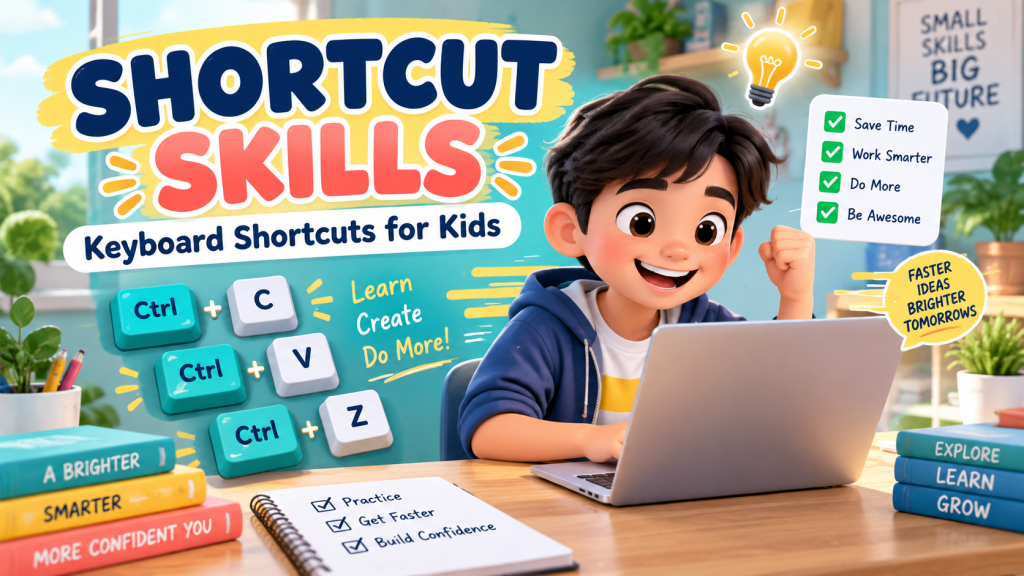
Keyboard shortcuts may look like tiny computer tricks, but they can make a big difference for kids. Instead of clicking through menus over and over, children learn quick commands that help them write, edit, organize, and fix mistakes with more confidence.
For Filipino kids ages 8 to 12, shortcut skills are a simple way to turn computer time into real digital fluency. They help kids work smarter, not just faster.
Why keyboard shortcuts matter
When kids learn shortcuts, they begin to understand that computers are tools they can control. They become less dependent on guessing where buttons are and more comfortable using common apps for school, creativity, and communication.
Shortcuts also build confidence. A child who knows how to undo a mistake, copy text, paste an answer, or find a word in a document feels more independent during schoolwork.
Start with the shortcuts kids use most
Do not try to teach every shortcut at once. Start with a small set that children can use right away:
- Ctrl + C to copy
- Ctrl + V to paste
- Ctrl + X to cut
- Ctrl + Z to undo
- Ctrl + S to save
- Ctrl + F to find a word or phrase
On a Mac, these usually use the Command key instead of Ctrl. The idea is the same: one quick key combination can save several clicks.
Teach shortcuts as superpowers, not homework
Kids learn faster when a skill feels useful. Instead of saying, “Memorize this,” try saying, “This is the shortcut that saves your work,” or “This is the shortcut that rescues a mistake.”
For example, Ctrl + Z is a great first shortcut because children immediately see the benefit. If they delete a sentence by accident, they can bring it back. That moment feels like magic, and it teaches them that mistakes are fixable.
Practice activities parents can try
You can practice shortcuts in short, playful ways:
- Ask your child to type a sentence, copy it, and paste it three times.
- Let them delete a word and use undo to bring it back.
- Open a short document and use find to search for one word.
- Ask them to save a file after each small change.
- Create a family “shortcut of the week” and use it during homework time.
Common mistakes to watch for
Some kids press keys too quickly or forget which key to hold first. Be patient. Shortcuts become natural through repetition, not lectures.
It also helps to remind children that shortcuts should support thinking, not replace it. Copy and paste is useful, but kids should still understand what they are copying and where it belongs.
A simple shortcut habit
Try this habit during schoolwork: whenever your child uses the mouse for a common action, pause and ask, “Is there a shortcut for that?” If there is, practice it once or twice.
Over time, kids begin to build a mental toolbox of commands. They do not just use computers; they start to feel fluent with them.
The bottom line
Keyboard shortcuts are small skills with big benefits. They help kids save time, recover from mistakes, work more confidently, and build stronger digital independence.
Start today, for free. Explore all 25 free learning worlds at Digital Kids PH – no login, no cost, ever.
A free service of MalachiSoft Inc – empowering the next generation of Filipino digital talent.
Ready to play and learn?
40+ free games that teach kids real digital skills – no login needed.
🏷️ computer skills, digital skills, Filipino parents, keyboard shortcuts, schoolwork
Ready to play and learn?
40+ free games that teach kids real digital skills — no login needed.
Explore the Worlds 🎮